

Client Support
HomeAssistant: remote not populating


HomeAssistant: remote not populating
2 years 5 months ago
In HomeAssistant, I have a Broadlink RM4 Pro. I have several commands that I've saved and those work in HomeAssistant. I am hoping to bring this remote into myServer so that I can send the same remote.send_command calls from myserver that I can from HomeAssistant. However, I'm not seeing the broadlink device populate in myserver. How can I add this device?
Please Log in or Create an account to join the conversation.
Re: HomeAssistant: remote not populating
2 years 5 months ago
Nevermind, I was able to figure this out. Host:Discover didn't do anything in this case. I had to do RemoveDevices, then another discover.
Please Log in or Create an account to join the conversation.
Re: HomeAssistant: remote not populating
2 years 5 months ago
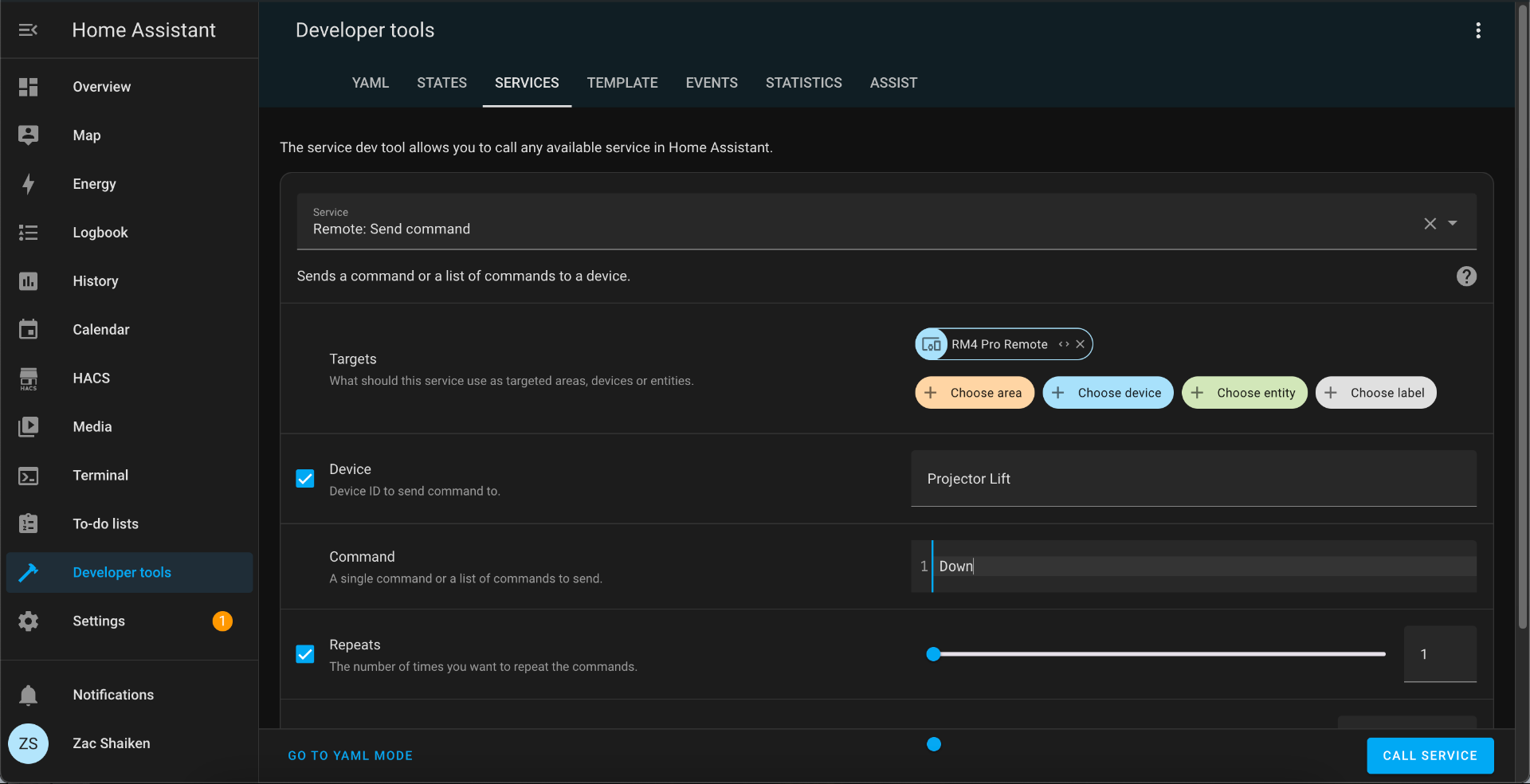
Ok I have this added, however now I could use some help actually using it. This is currently listed as a Control device. In HomeAssistant, using Developer Tools, I am sending this:
Is there a way to make myServer send this?
Is there a way to make myServer send this?
Please Log in or Create an account to join the conversation.
Re: HomeAssistant: remote not populating
2 years 5 months ago - 2 years 5 months ago
Here is the HomeAssistant YAML if that helps:
service: remote.send_command
target:
device_id:
- 1bce0eab1bab833c89e0cfc52cbdfd39
data:
num_repeats: 1
delay_secs: 0.4
hold_secs: 0
command: Down
device: Projector Lift
I also have these added to a HomeAssistant script, so I will test and see if there's a way I can just call that instead. Update: Not seeing a way to trigger Home Assistant scripts either
service: remote.send_command
target:
device_id:
- 1bce0eab1bab833c89e0cfc52cbdfd39
data:
num_repeats: 1
delay_secs: 0.4
hold_secs: 0
command: Down
device: Projector Lift
I also have these added to a HomeAssistant script, so I will test and see if there's a way I can just call that instead. Update: Not seeing a way to trigger Home Assistant scripts either
Last edit: 2 years 5 months ago by zshaiken.
Please Log in or Create an account to join the conversation.
Re: HomeAssistant: remote not populating
2 years 5 months ago
SUCCESS! Ok this was a bit complicated, but here's what I got to work.
1. I added the RM4 Pro in HomeAssistant.
2. In HomeAssistant, I added the Remote commands I wanted
3. I created HomeAssistant scripts that executed the commands I wanted in the order I wanted
4. I created HomeAssistant Automations for each script that had a Webhook trigger
5. In myServer, I created Macros that looked like this:
Macro|
Run|curl~-X POST http://{myHomeAssistantIP}:8123/api/webhook/{myWebhookId}!
//!
// fini
1. I added the RM4 Pro in HomeAssistant.
2. In HomeAssistant, I added the Remote commands I wanted
3. I created HomeAssistant scripts that executed the commands I wanted in the order I wanted
4. I created HomeAssistant Automations for each script that had a Webhook trigger
5. In myServer, I created Macros that looked like this:
Macro|
Run|curl~-X POST http://{myHomeAssistantIP}:8123/api/webhook/{myWebhookId}!
//!
// fini
Please Log in or Create an account to join the conversation.


Re: HomeAssistant: remote not populating
2 years 5 months ago - 2 years 5 months ago
Ok, so, the Broadlink device is an IR / RF hub?
And, historically you were able to control devices managed by Broadlink by sending commands via a HomeAssistant user interface?
And, with the integration, you figured out how for myServer to send to HomeAssistant to send to Broadlink?
How is the response time on command execution?
Do you expect to use the SmartRemote to send commands too?
Neat. Nice discovery!
I added your script to the HAGateway driver documentation for others to find. Thanx!
So now, RF devices are supported via SmartRemote / myServer.
And, historically you were able to control devices managed by Broadlink by sending commands via a HomeAssistant user interface?
And, with the integration, you figured out how for myServer to send to HomeAssistant to send to Broadlink?
How is the response time on command execution?
Do you expect to use the SmartRemote to send commands too?
Neat. Nice discovery!
I added your script to the HAGateway driver documentation for others to find. Thanx!
So now, RF devices are supported via SmartRemote / myServer.
Last edit: 2 years 5 months ago by David Li.
Please Log in or Create an account to join the conversation.
Time to create page: 0.279 seconds

Copyright © 2026 Allonis. All Rights Reserved.