

Home Control System
Our home automation system provides our customers with a cohesive collection of control features for comfortable living. Everything needed to view, secure and control your environment of your home is incorporated in one place. This includes your security cameras and keypads, thermostats, lighting, doors, shades, and entertainment with options like Heos, Android, DirectTV, Sonos, FireTV and Apple TV.
The home page of our system can be customized to house your specific control components. The image below shows our current user-interface with climate control, security cameras and keypad, and weather information that’s tailored to your needs. You can choose what you want to see.
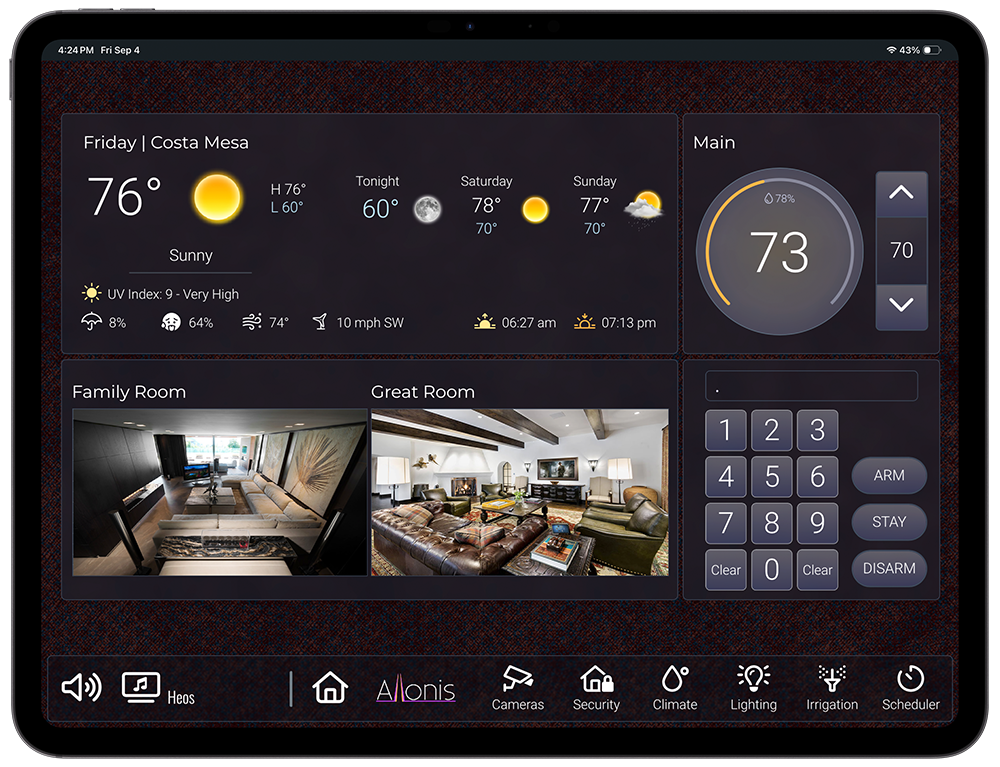
The design maintains a bottom navigator for easy maneuverability and consistency. The first features of the navigator are the entertainment selection buttons. You can control volume as well as launch the entertainment pop-up where your select a room and then what you want to listen to or view in that room. Next on the navigator is the home button followed by the buttons for the other control pages in your system.
Lighting
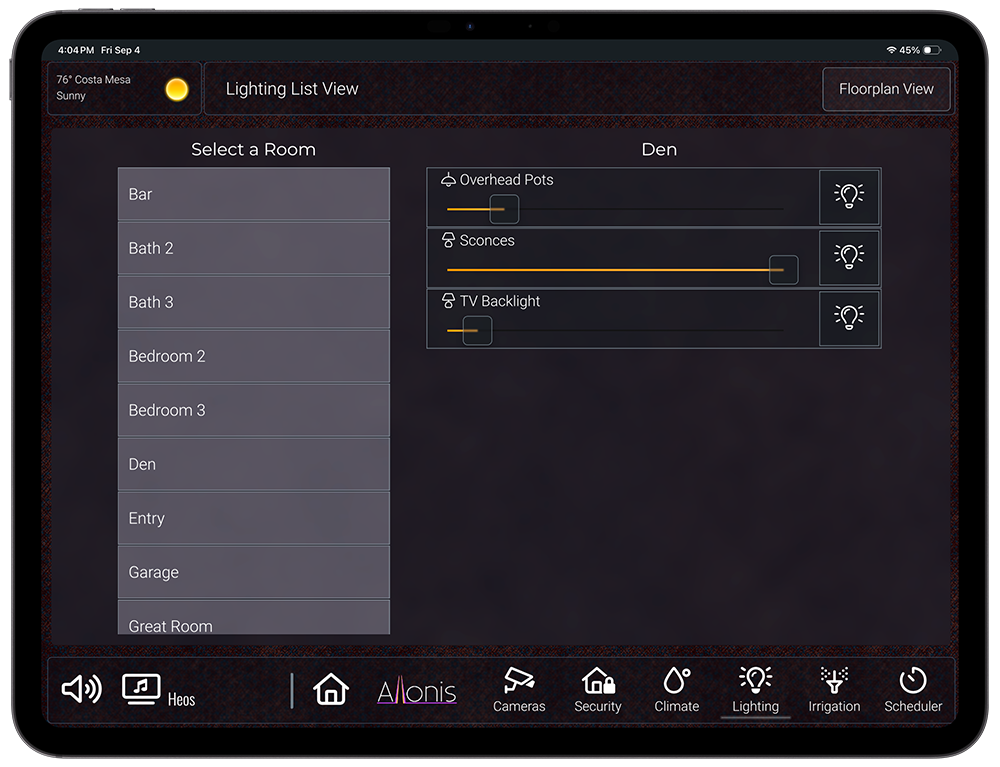
We support essentially all types of lighting. Our UI is designed to control your lights via a list as shown here or a floor plan version of your home. When you select a room on the left, all the available lights will appear on the right.
Climate
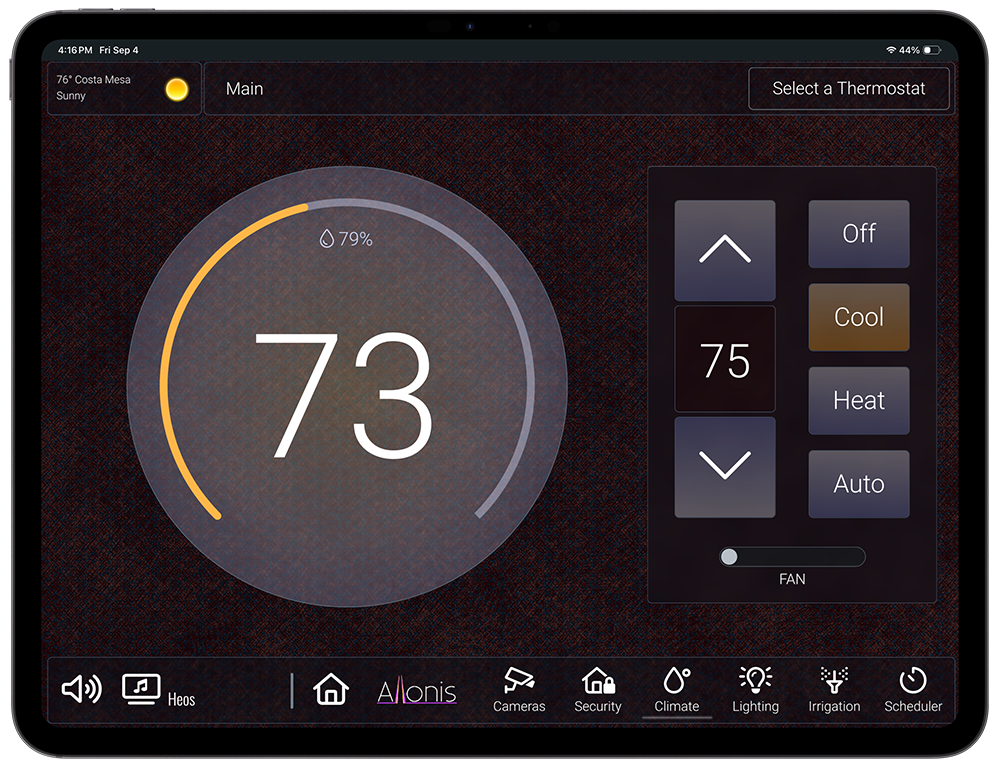
We support Z-Wave and Venstar.
Security
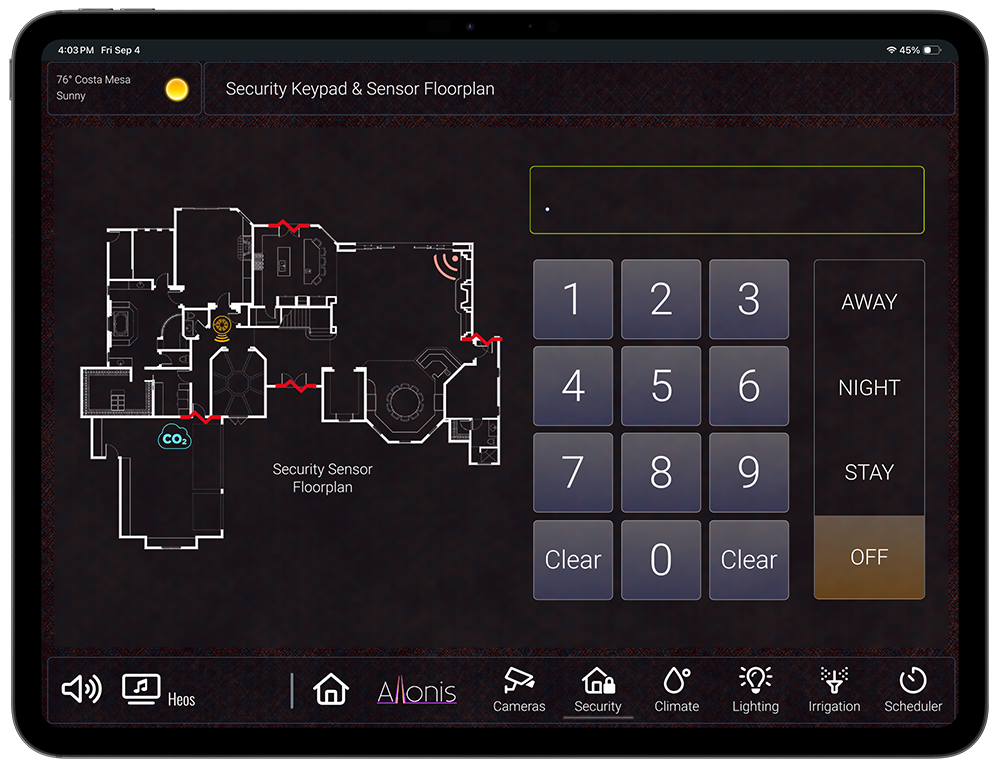
We support Z-Wave, Elk, Honeywell, and DSC. As shown below we can add a floorplan view with icons that appear and when various security devices are tripped such as doors, smoke alarms, motion detectors, as well as CO2 detectors.
Irrigation
Irrigation control using networked relays connected to water valves.
Scheduler
Our Scheduler App allows you to schedule events at various times of the day, days of the week or month and is most frequently used with lighting and irrigation.
Customization
Our system is completely customizable to your needs. This includes the User-Interface. You are able to edit the UI using myDesigner which comes free with the purchase of myServer. If you are not interested in doing it yourself our designers can come up with something that works for you both functionally and visually.
